Skip to content

A new home base for your family

A little less
juggling.
A lot more living.

Your family’s calendar, chores and dinner plans.
All on one wall screen and on your phones.

We’ll be in touch when you can try Inochi.

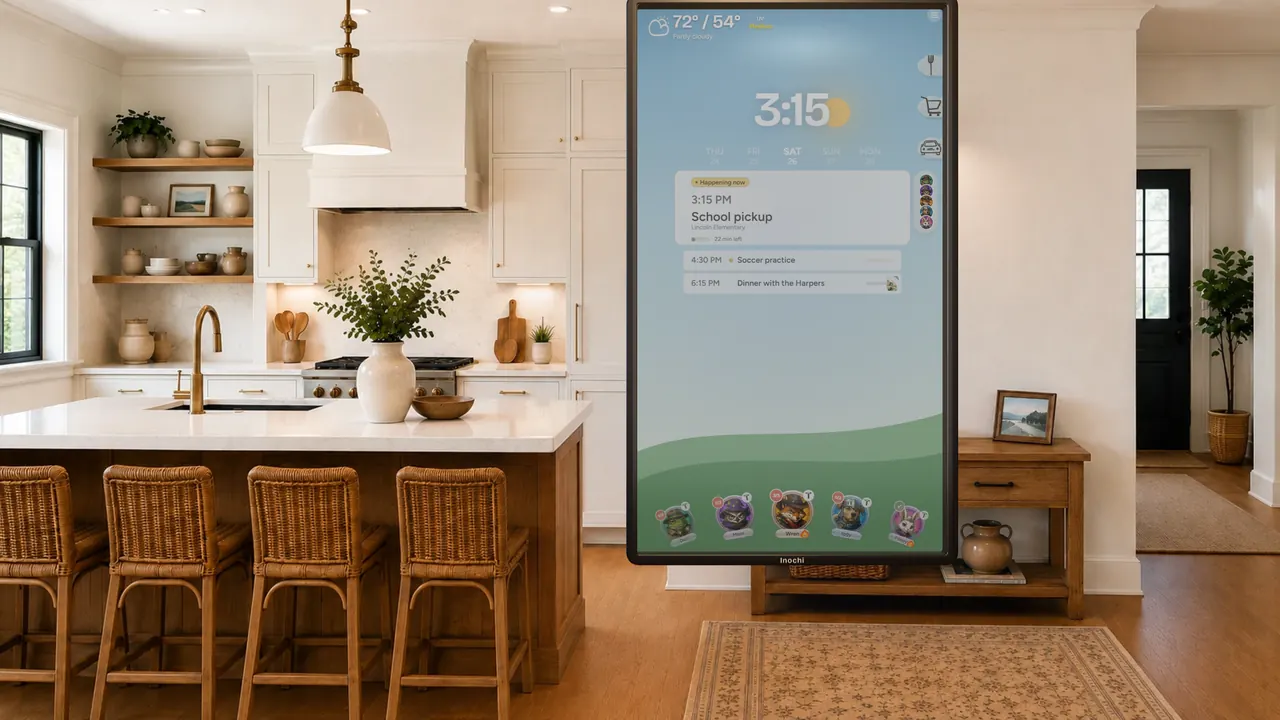
Inochi’s family calendar on a wall screen in a bright, welcoming kitchen.
The day, at a glance.Right there on the kitchen wall.

Less to remember.
More time together.

Shared plans
Chores checked off
Dinner sorted

One place for the everyday

Life has a lot of moving parts.
Give them a place to land.

Check the calendar, finish a chore or plan dinner. Everyone can find what they need.

01 / 04 A CLOSER LOOK
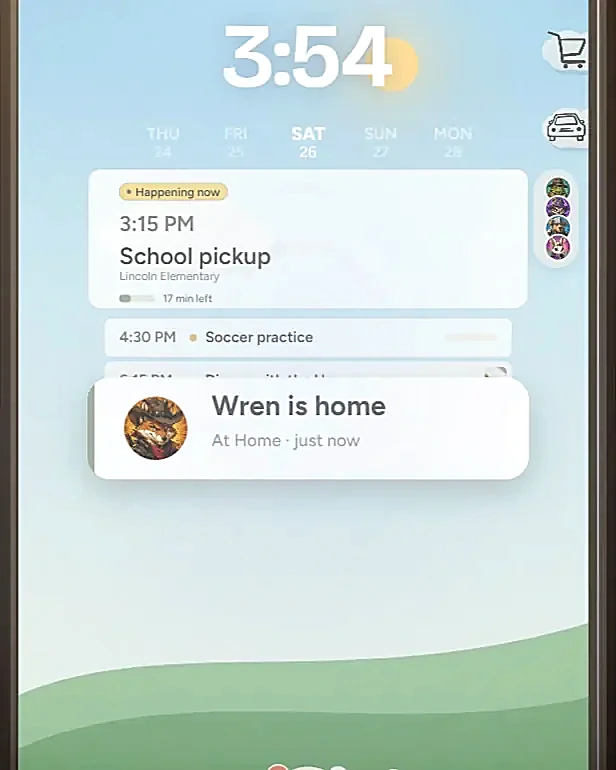
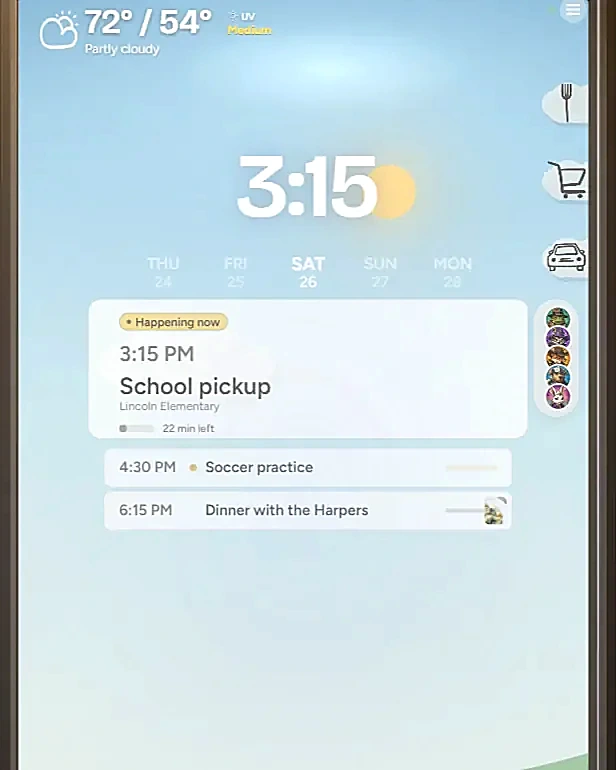
Inochi’s calendar with school pickup at 3:15, soccer practice at 4:30 and dinner at 6:15.
On the Inochi wall screen · Example family

Shared calendar

Everyone’s day.
In the same place.

School pickup, soccer practice, dinner with friends. Keep everyone’s plans on the same calendar so you know who needs to be where.

  • See what’s happening now and what’s next
  • One shared view on the wall and on your phones

“What’s the plan today?”

Now everyone has the answer.
02 / 04 A CLOSER LOOK
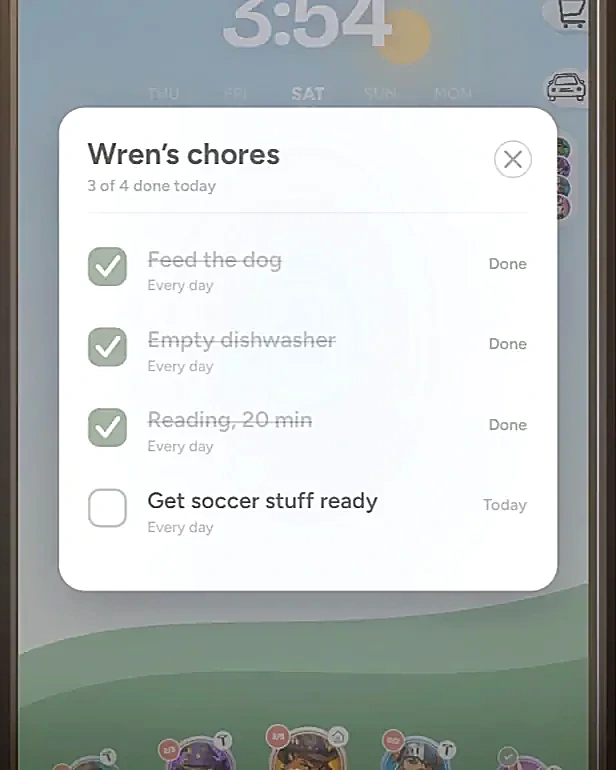
Wren’s personal chore list on Inochi, with three of four chores completed.
On the Inochi wall screen · Example family

Chores & goals

Chores they can
check off themselves.

Each family member gets their own list. Kids can check off chores, see their progress and work toward goals.

  • Keep track of chores and streaks
  • See goals and allowance in one place

“Did you do your chores?”

The answer is right there.
03 / 04 A CLOSER LOOK
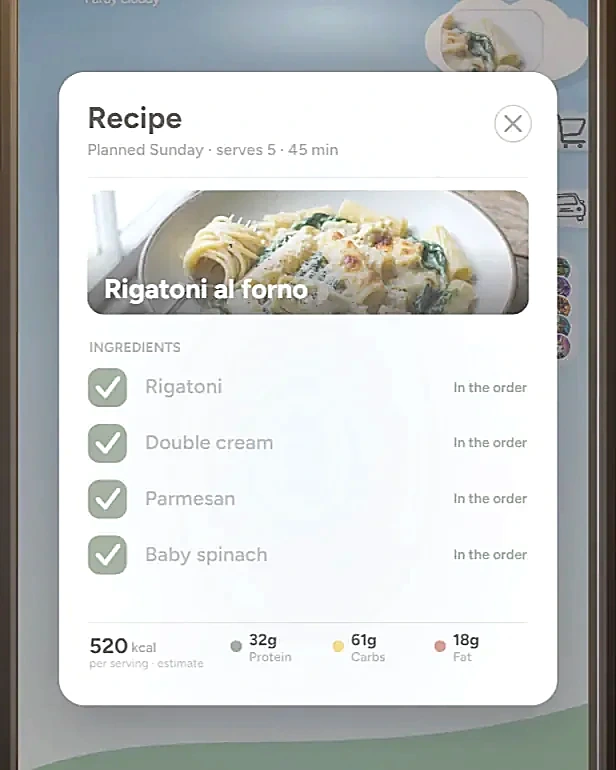
Tonight’s rigatoni recipe on Inochi, with ingredients checked off on the shopping list.
On the Inochi wall screen · Example family

Meals & groceries

Dinner’s easier
when there’s a plan.

Choose the week’s meals, put the ingredients on one shopping list and send it to Instacart or Walmart when you’re ready to shop.

  • Pull up tonight’s recipe
  • Keep one grocery list for the family

“What’s for dinner?”

One less daily decision.
04 / 04 A CLOSER LOOK
An arrival update on Inochi reading “Wren is home”, at home just now.
On the Inochi wall screen · Example family

Family location

See who’s home.
Stay in the loop.

Check the family’s locations and see when someone gets home. A quick look can save another round of check-in texts.

  • Arrival updates on your family’s screen
  • Locations shared only within your family

“Are you home yet?”

Fewer check-in texts.

At home and on the go

On the wall.
On your phone.

Check the same plans at home or while you’re out.

  1. 01

    Find a spot for the screen.

    Put Inochi on a wall everyone passes, so checking the day’s plans becomes part of the routine.

  2. 02

    Add the app to your phones.

    The companion app works on iPhone and Android, so you can check the family’s plans while you’re out.

  3. 03

    Keep the details together.

    Add the next school pickup, check off a chore or plan tonight’s dinner. Everyone has the same place to look.

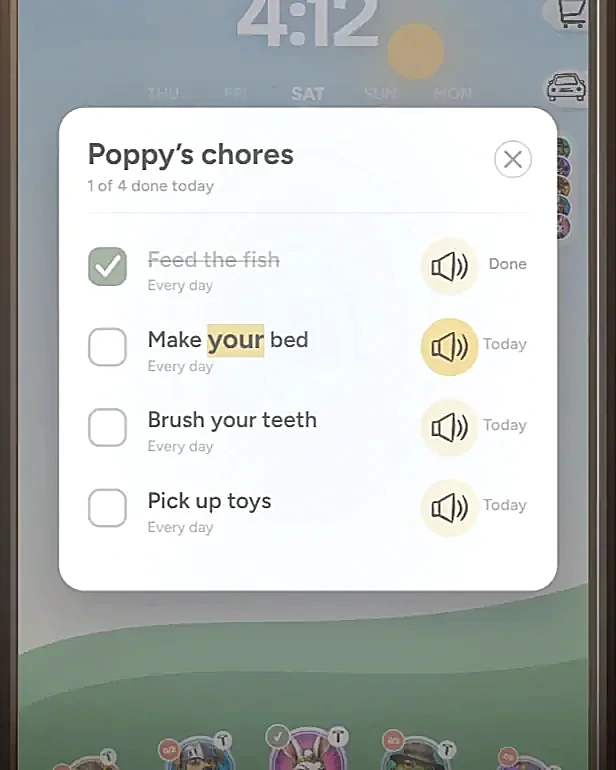
Poppy’s chores, with a speaker button beside each task and words highlighted as Inochi reads them aloud.
“What does this one say?”Tap the speaker to hear the chore.

For the little ones, too

They can help.
Even before they can read.

Little ones can find their picture, hear a chore read aloud and check it off themselves.

  • A familiar face to tap

    Picture profiles help little ones find their own list.

  • Chores read aloud

    Tap the speaker to hear a task. Each word lights up as it’s read.

  • “I did it myself.”

    Kids can check off their own tasks and see what they’ve done.

IN BETA Meet the car concierge

One less call
on your list.

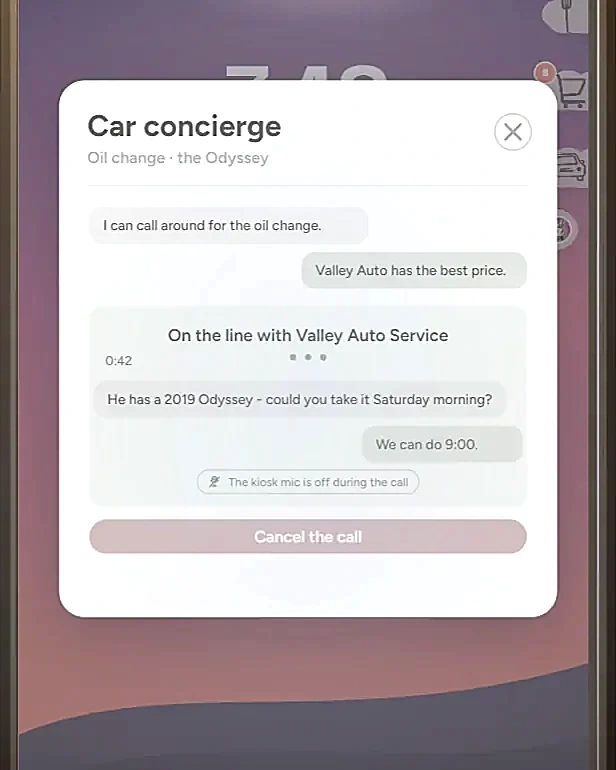
Ask Inochi to book that oil change you’ve been putting off. It finds a nearby shop, makes the call and books a time that fits your family calendar.

The wall screen’s microphone stays off during the call.

Spend a day with Inochi
The Inochi car concierge on a call with Valley Auto Service, with the conversation shown on screen and the microphone off.
Follow the call right on your screen.

Before you sign up

A few things
you might be wondering.

How the beta works, what’s included and what happens next.

About early access
What happens after I sign up?

We’ll add you to the early-access list. We’re inviting a small group of Founding Families to try Inochi at home and tell us what needs work. If you’re not in the first group, you’ll hear when access opens up. There’s no commitment to buy.

Where does the wall screen come from?

Inochi provides the screen for Founding Families during the beta. Your invitation will explain how it works.

What does the beta cost?

Founding Families get a lower price during the beta than at launch. We’ll send you the details with your invitation, before you decide.

Which phones does the app run on?

The companion app runs on iPhone and Android.

Who can see our family’s location?

Only the people in your Inochi family. Other accounts can’t see your family’s locations.

What does the car concierge do?

It helps book car services, like an oil change. When you ask, Inochi finds a nearby shop, calls them and books a time that fits your family calendar. The feature is in beta, and the wall screen’s microphone stays off during the call.

From our kitchen to yours

“We built Inochi to help our family keep up with everyday life, from who needs to be where to what’s for dinner. Now we’re inviting other families to try it and help us make it better.”
The Inochi Family

Join the early-access list

Try Inochi
with your family.

We’re inviting a small group of families to try Inochi at home. Use it in your daily routine and tell us what works, what doesn’t and what’s missing.
Just your email to start. No payment details.

A day with Inochi

Take a 50-second look.